5.4 Function buttons
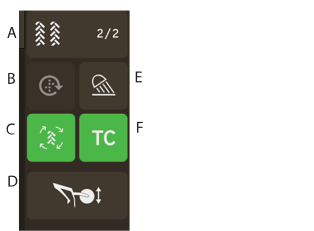
Figure 1.
Tramline cycle
The first number shows which phase of the tramlining cycle that the operator is in.
The second digits shows the number of tramlining cycles selected in the tramlining menu.
Manual feed (start/stop). Press the button to activate the function. For settings, see 7.2.1 General Settings.
Tramline (Press to activate/inactivate)
Tine Coulter (up/down)
Work Lights (on/off)
Task Control Override