7.2.1 General Settings
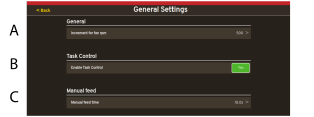
Figure 1.
Increment for fan rpm
Task Control — Enable Task Control YES/NO see 7.2.8 Task control
Manual feed time (sec) — Active time of the manual feed.
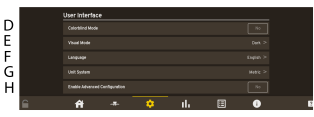
Figure 2.
Color blind Mode, Yes/No
Visual Mode, Dark/Light
Language — Language settings. Language settings are normally changed in the menu for the control device1. When choosing Automatic, the language of the control device is valid. If the desired language for the control unit is absent, the language can be selected in this menu2.
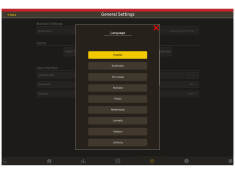
Figure 3.
Unit System (metric/imperial)
Enable Advanced Configuration 7.3 Configuration
1 Please read the user guide for
the control device to find out how to change the language settings.
2 Väderstad reserves
the right to decide which languages will be available.