7.2.8 Task control
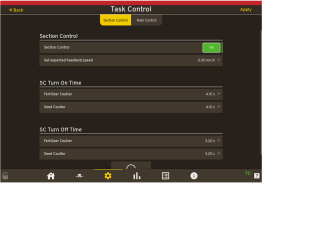
Figure 1.
If the Section Control setting is available, two options will be displayed.
NO:TC — SC is enabled.
YES:TC-SC is enabled and the section control commands will be done from the TC.
If the Section Control is set to Auto and the TC has requested to control the sections of at least one boom, the TC is responsible for that section control and the buttons used for manual section on the dashboard will be disabled. The section state visualization on the dashboard will also update to reflect the section states requested by the TC.
Only booms with active products are selected for the TC—SC. If the TC only supports section control of one boom, one will automatically be selected for the TC—SC according to priority. The Fertilizer boom always takes first priority if both seed and fertilizer are selected. Should only one boom be directly controlled by the TC, either because only one TC—SC is capable or because the TC has requested to control one of the booms, that boom will follow the section control for the TC controlled boom.
If the Section Control is set to Manual or Auto, the TC button will be displayed on the right pain of the dashboard. Click on the TC button to toggle between Manual and Auto selection.
If the TC does not support TC-SC, the Section Control setting on this page will be disabled and set to “Off”.
The SC Turn On Time and SC Turn Off time settings are specified for each boom on the Task Control settings page.
Section Control – Activate section control and set the expected headland speed.
SC Turn On Time—Delays between when the TC demands when a section is enabled and when the product starts applying to the ground on that section.
SC Turn Off Time—Delays between when the TC demands when a section is disabled and when the product stops applying to the ground on that section.
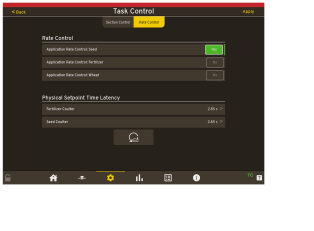
Figure 2.
Rate Control — The rate (kg/ha).
Physical Setpoint Time Latency— Physical delay of the time that it takes the seed to reach the output.
Factory Reset – Can be used when in need of returning to the default settings.
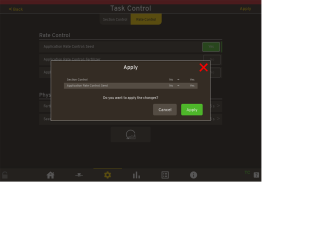
Figure 3.
Press Apply to activate the chosen settings.