12.3 SeedEye activation
Settings for SeedEye are only visible when the machine type supports this function.
In the settings menu, select the “SeedEye” menu, which is highlighted green in Figure 1.
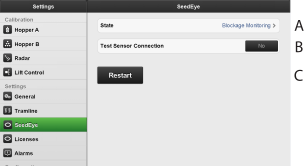
Figure 1.
Select State (A), and then select the desired SeedEye function, see Figure 2 .
Off: turns off SeedEye
Blockage Monitoring: monitors dispensed seed during sowing.
Seed Counting: Counts each seed, requires license to activate.
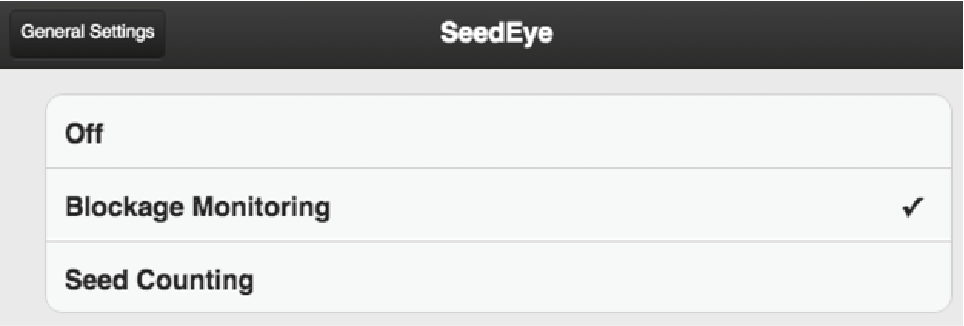
Figure 2.
Press Connection of test sensor detectors (B) to test communication with the detectors located on the seed hoses and that the detectors are mounted in the correct order.