6.2.1 Adapting the sensors to the seed feed
The ports on the distributor head connected to the tramlining engines show a green tractor track.
The detectors can be changed in one of the following ways:
Press on the detector you want to change.
Press on the detector you want to replace.
or:
Press on the detector you want to change.
Press on the detector again.
A question mark appears in a circle, indicating that the detector is not mapped.
It is possible to create multiple unmapped rows at the same time (proceed to step 2.e)
Press on the row to be changed with the unmapped detector.
Press the question mark to display unmapped detectors with missing rows. See Figure 3 and perform step d3259724e2103.html#d3259724e2103__Välj_sensor_saknad_rad
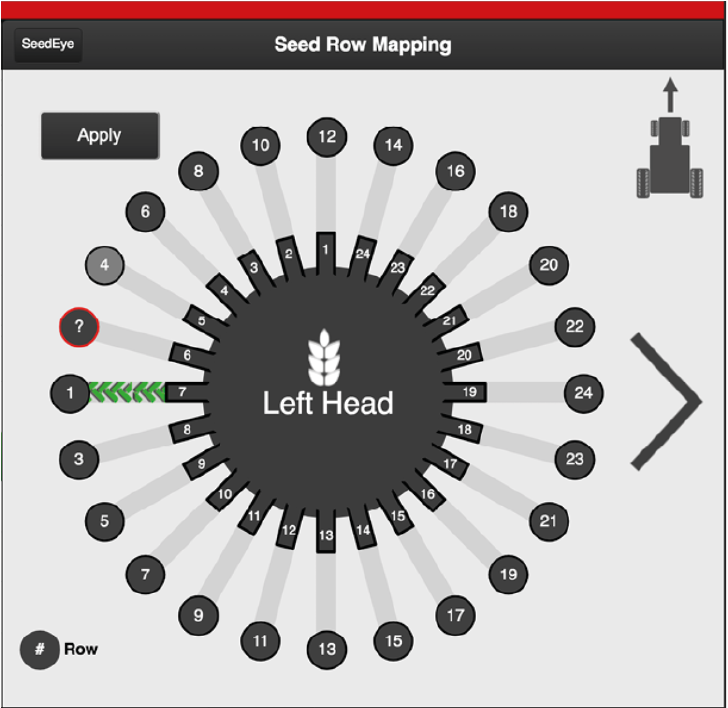
Figure 1.
Press Apply to save
A detector is unmapped. Press OK to continue.
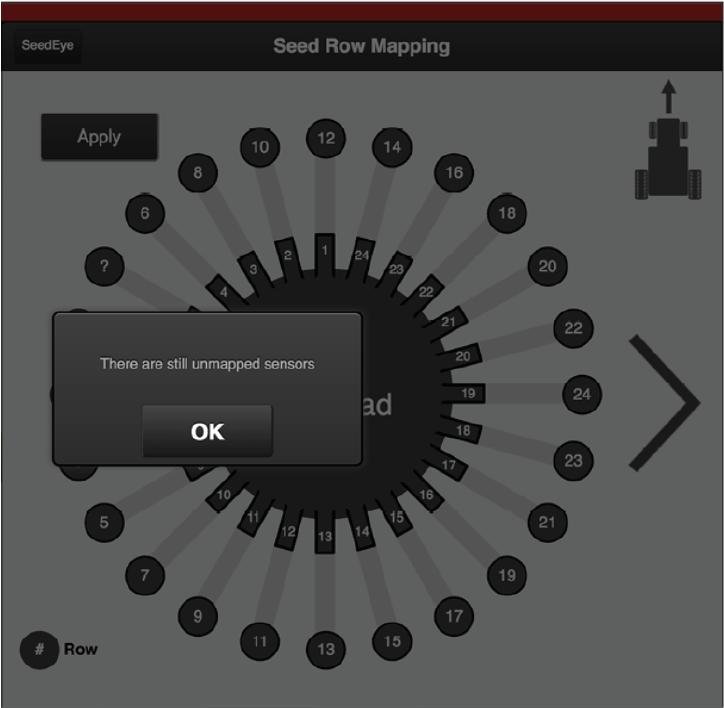
Figure 2.
Select the detector for the missing row. Click the remaining question mark and select from the available rows.
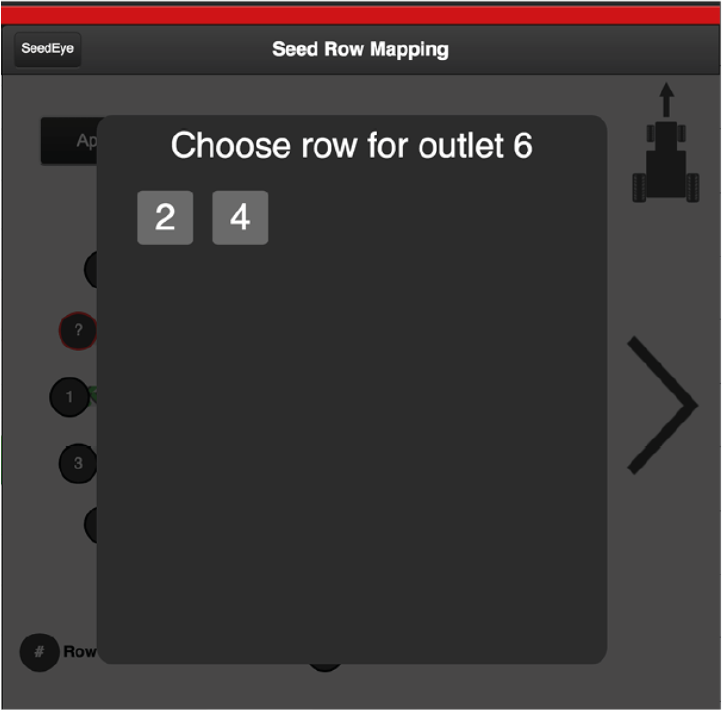
Figure 3.
Press Apply to save.
SeedEye is automatically re-registered when the detectors are updated by pressing the Apply button.
If you press the SeedEye button at the top, the settings change to the last approved configuration. When you use this button, you are going back to the previous menu.
To factory reset, set the row output to OFF (G); see Figure 2.