5.4 Machine symbol
Field D on the home screen. See figure Figure 1
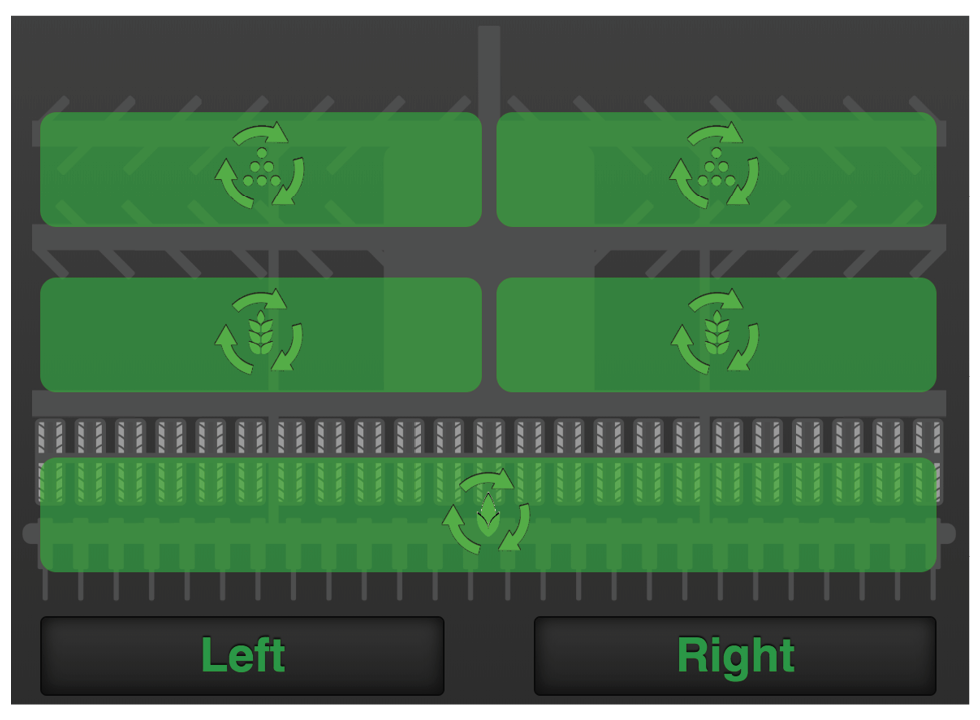
Figure 1. Machine symbol
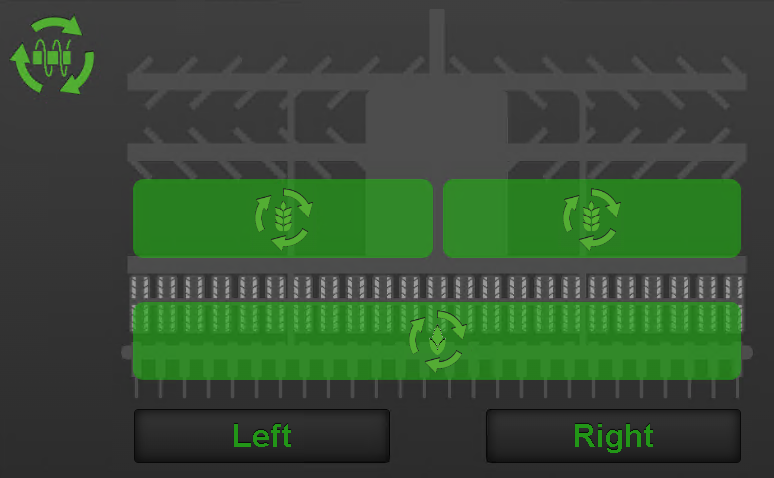
Figure 2. Displays a machine with seed-seed position, available for combi and jumbo machines.
For machine symbol with optional SeedEye, see Figure 4.
Half machine shut-off (RDA 600–800)
The part of the machine for which feed has been shut off is indicated by a white symbol on the button. The machine symbol on the screen will also appear in grey.
To shut off seed feed (seed and fertiliser, RDAC) on the left or right half of the machine, press the left or right button under the machine symbol on the home screen. Press the button again to restart the seed feed.
RDAS 400 with CANBus Flexhead
It is not possible to use tramlining and half machine shut-off in the same bout. When half machine shut-off and the machine’s tramlining are activated, tramlining will be paused (the hatches will open). Tramlining will be activated again when half machine shut-off is disabled.
Status output units
The status of each output unit is indicated in the machine overview and can have one of the following four appearances.
 ,
,  ,
,  ,
,  against green background. The unit is
rotating.
against green background. The unit is
rotating.  ,
,  ,
, ,
,  against white background. The unit has
stopped but will be re-started when all the criteria for output has
been met.
against white background. The unit has
stopped but will be re-started when all the criteria for output has
been met. ,
,  ,
,  against a grey background. The unit is
switched off.
against a grey background. The unit is
switched off.- ,, against a red background. The unit has
an active alarm.