3.4 Connection with Ethernet cable (optional)
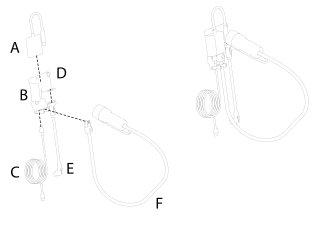
Figure 1.
Adapter
Bracket
Cable
Screw/washer
Cable (connect to iPad)
Cable harness
Connect the cables (C, E) and the cable harness (F) to the adapter (A).
Mount the holder securely in the tractor cab. The holder should be located within the field of vision when driving forwards. Choose between a standard bracket (E) and a magnetic bracket (H+I). Mount the bracket as per Figure 1.
The Ethernet cable can be connected to the iPad holder two different ways; see the alternatives below.
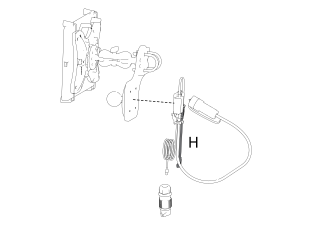
Connect the cable (H, Figure 2) to the iPad's power supply.
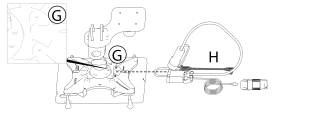
Connect the cable (H, Figure 3) to the iPad's power supply.
Connect the power/charging cable (C, Figure 1) to the tractor's 12 V outlet.