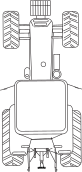
6.5.2 Creating a custom tramlining program
When you select the “Adapt” tramlining program, it is possible to program the tramlining individually for each bout. Select to lay tramlining tracks in both wheel tracks in the bout, in the left or right wheel track or no tramlining at all. It is possible to program up to 30 cycles.
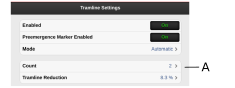
Figure 1.
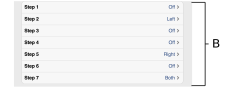
Figure 2.
Select the tramlining setting for each bout included in the tramlining program. Press the field for the bout that is to be changed and select a tramlining option.
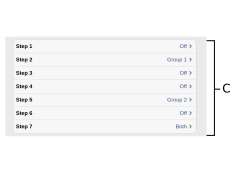
Figure 3. CANBus Flexhead
Select the tramlining setting for each bout included in the tramlining program. Press the field for the bout that is to be changed and select a tramlining option.
|
|
|
|
Both |
|
|
Left/Group 1 |
|
|
Right/Group 2 |
|
|
Off |
|