5 Home screen
The home screen is the view shown whilst operating This shows all the information required for monitoring, and you can also adjust settings.
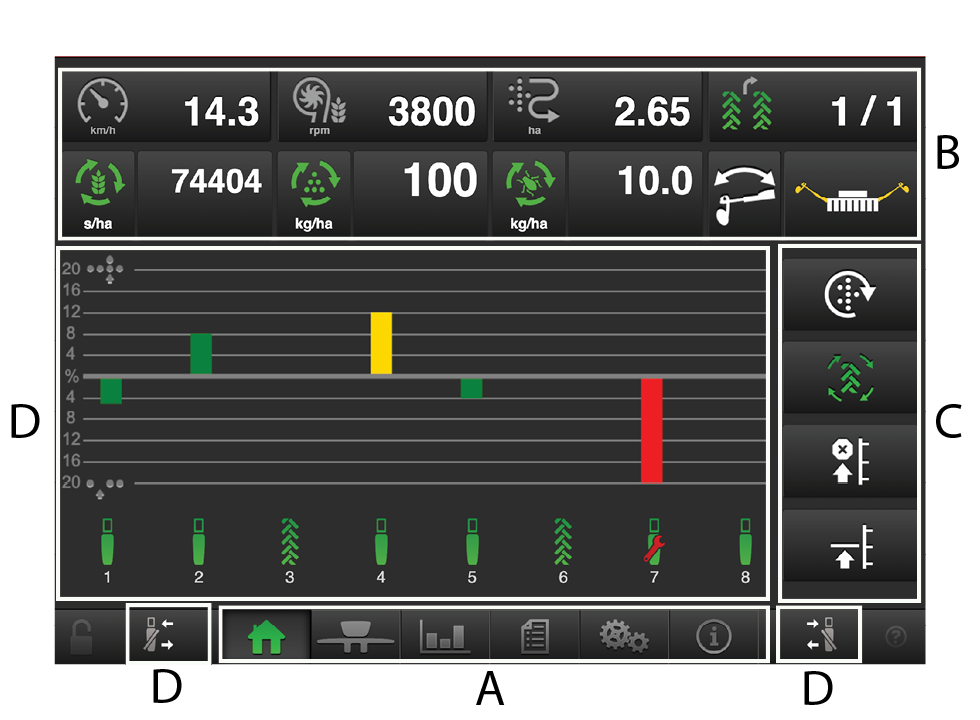
Figure 1.
Navigation buttons
See chapter5.1 Navigation buttons.
Display for control and monitoring.
See chapter5.2 Display for control and monitoring.
Function buttons.
See chapter5.3 Function buttons.
Row units.
See section 5.4 Row units.
The padlock in the lower left-hand corner indicates whether master status has been obtained or not. A grey padlock indicates that master status has been obtained, while a red padlock means that the terminal is in slave mode. A request to switch to master status can be made by clicking on the red padlock.