7.1.2 Calibration
Set up menu (A). Press the hopper to calibrate.
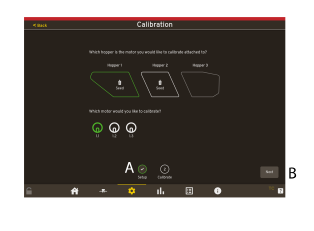
Figure 1.
The motors will be visible when a hopper is selected.
Press the motor to calibrate.
Press Next (B).
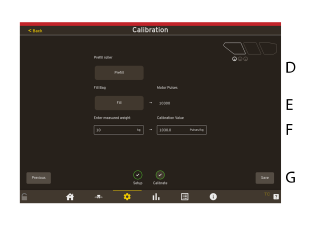
Figure 2.
Press Prefill (D) to prefill the roller.
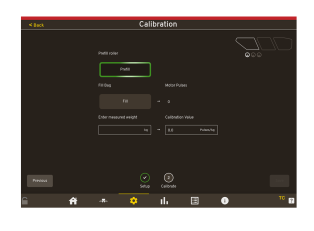
Figure 3.
Press Fill (E) to fill the bag.
Enter the values (F) for measured weight (kg). Calibration Value (Pulses/kg) will be updated automatic according to the value in measured weight.
If a calibration test has been made earlier with the same product and the pulses/kg are the same. The value can be entered directly and the calibration test is not needed.
Save the settings (G).
If the hoppers contain different products there will be a calibration button for each hopper.
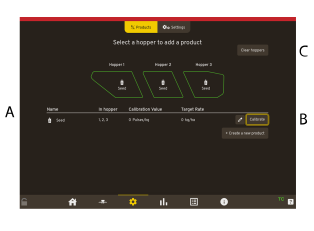
Figure 4.
Press Calibrate.
Press on Products to return to the Product menu.