16.3.3 Service mode
Press and hold the service mode button until the service menu opens.
The service mode is used when there is a need to increase the distance between the ranks for servicing and/or to recharge the accumulator.
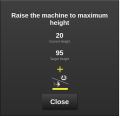
Figure 1.
Raise the machine to maximum height. The current and target heights are displayed on the folding menu.
When current height reaches the target height, the service menu automatically continues to the next step.
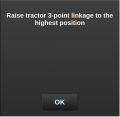
Figure 2.
Raise the tractor 3-point linkage to the highest position. Confirm by clicking OK when 3-point linkage cannot be lifted higher.
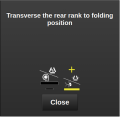
Figure 3.
Transverse the rear rank to folding position. When the folding position is reached, the service menu will close as the machine is in service mode, and the service mode button turns green.
To leave service mode, press and hold the service mode button until the service menu opens. The service mode menu has the same procedure as the unfolding sequence in 16.3.1 Unfolding, starting at the step waiting for the accumulator to charge.