7.6 Calibrating the radar
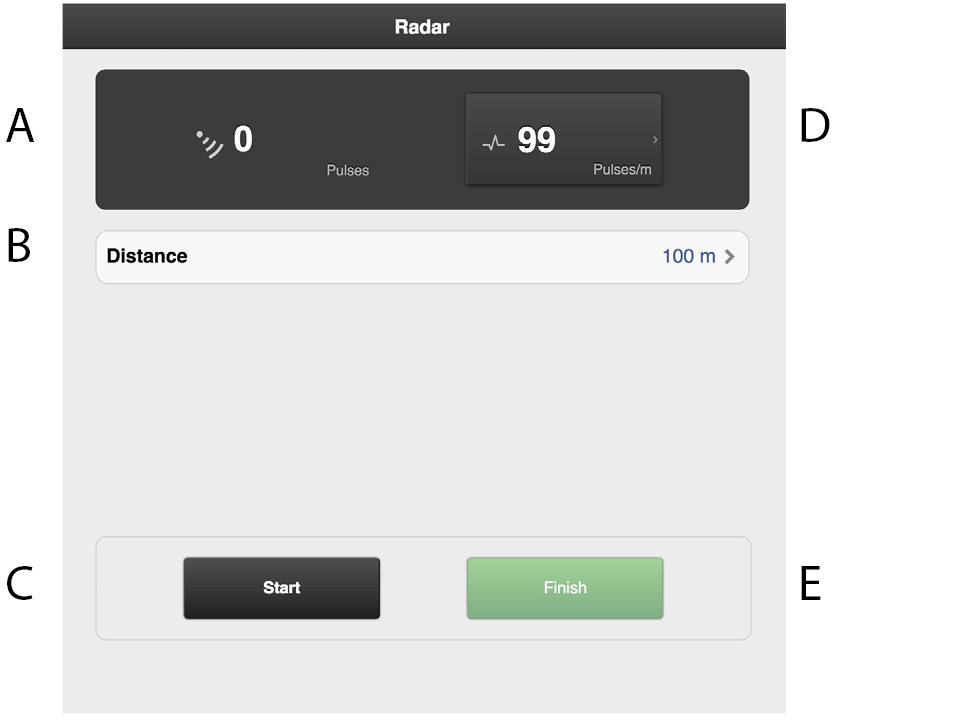
Figure 1.
Fields on the screen:
Displays the total number of radar pulses whilst operating.
Field to enter the distance driven when calibrating.
Resets the number of radar pulses.
Displays the calibration result as the number of radar pulses/m.
Records the end of the calibration distance.
Calibration
Measure a specific distance (at least 100 m).
Press (C) at the starting point to reset the pulse counter. It is possible to reset several times, if necessary.
Drive the selected distance with the machine lowered to the drilling position and press (E) at the stop point.
Press the field (B) and enter the distance driven in metres.
The number of pulses per metre driven is calculated and automatically updated in field (D).