E-Services < Back to Instructions Search Portal

E-Services

17.2 Updating previously downloaded files

    903938 - 09 - en-GB

    17.2 Updating previously downloaded files

    Note

    The symbol is only visible when you are connected to the Internet.
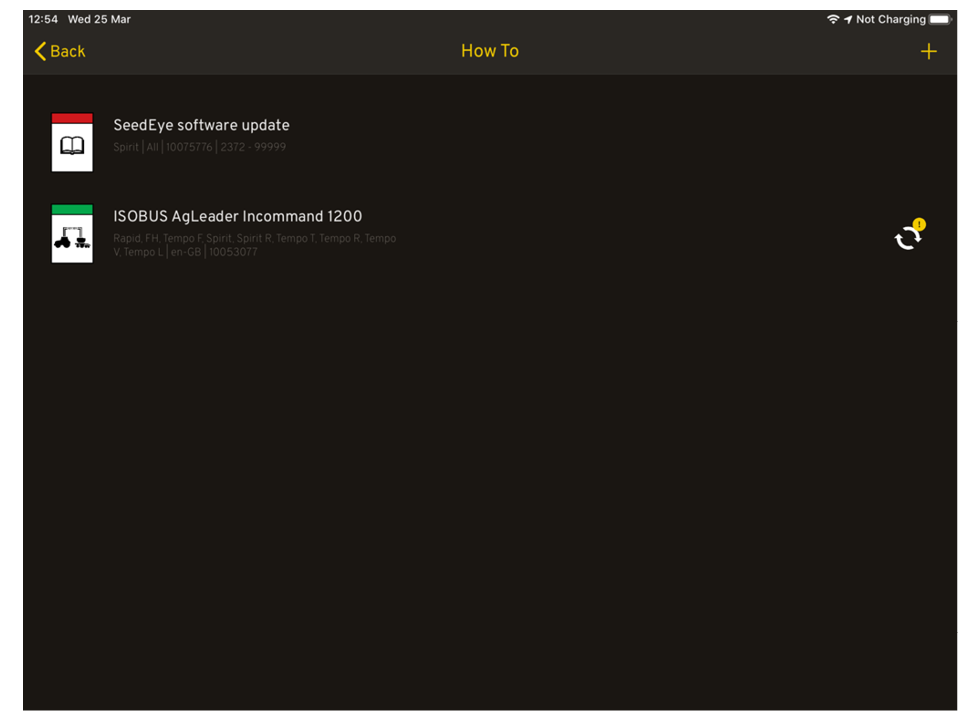
    Figure 1.

    If there is a new version of previously downloaded instructions or movie, the icon will be lit next to the instructions or video that can be replaced.

    Parent topic: 17 Download Instructions and Movies
    Previous topic: 17.1 Display in iPad
    Next topic: 17.3 Delete instructions or movie

    © Copyright Väderstad Group

    Find topics by title

    Topic finder activated by typing “t”. Continue typing to filter the list of topics.

    Use ↑ and ↓ to navigate the results; then press ENTER to view a topic, or ESC to close this dialog.

    Keyboard shortcuts

    You’ve activated the keyboard shortcuts help by typing “?”.

    t Open the topic finder to filter the list of topic titles
    s Use the search field to find text in topic content
    ? Show this list of keyboard shortcuts
    ESC Close this dialog