12.1 Display
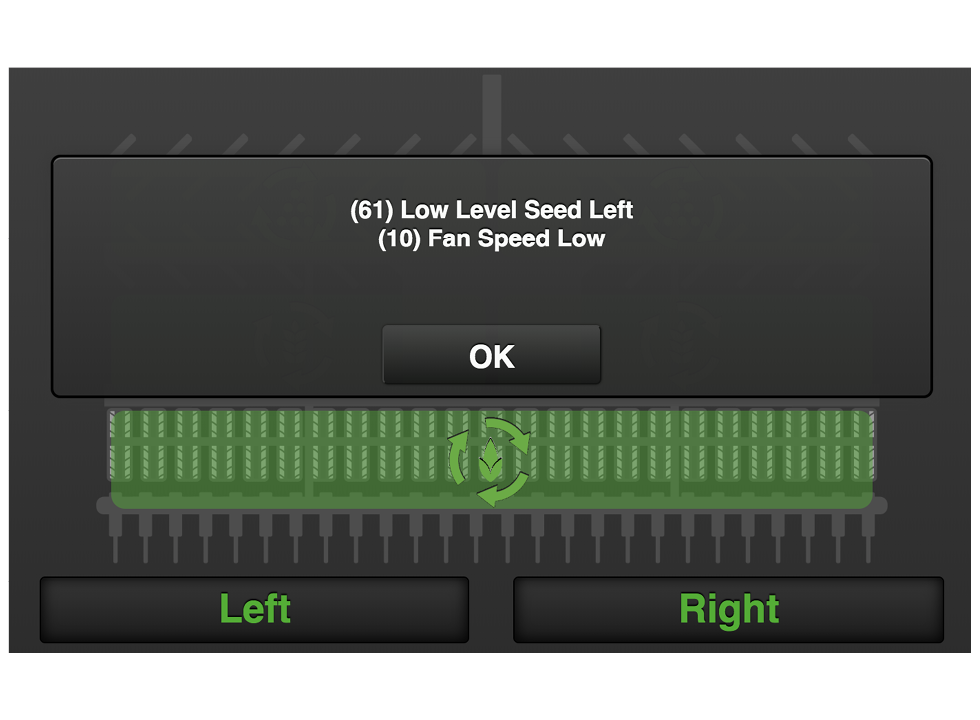
Figure 1.
When an alarm is triggered, a pop-up window appears in front of the machine symbol with information about the nature of the alarm. At the same time, the alarm symbol is lit and an acoustic signal draws attention. The pop-up window can show a maximum of two alarms. If there are more alarms, this is indicated with a row of dots on row three. The current alarm is also shown in the alarm symbol. See point A in 12.1.1 Alarm menu.
If you press the “OK” button, the popup window will close; the alarm and the reason for the alarm will remain active. Press the alarm symbol to re-enter the alarms menu.
The machine is normally not usable if at least one critical alarm is active. To be able to operate the machine, it is necessary to remedy the fault that the alarm refers to or override the alarm. An overridden alarm is an active critical alarm in cases where the user has chosen to continue using the machine even though certain functionality may be affected.