6.5.3.6 Save the tramline program
It is possible to save up to 10 tramline programs.
Press (H) in the previous tramlining selection screen,
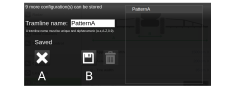
Figure 1.
Name the tramline program to be saved and press (B).
Press (A) to cancel.
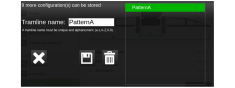
Figure 2.
The available tramline programs are displayed
here. The selected tramlining program will be marked in green. The
selected program can be deleted  .
.
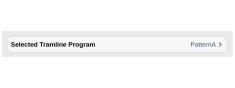
Figure 3.
Select a saved tramline from the list of options.