16 Download instructions and video
To download instructions and videos to your iPad, it must be connected to the Internet.
The machine's software is updated continuously and to ensure that you have access to the latest version of the instructions, it is also possible to download both the instructions and Quick start videos directly to your iPad.
The instructions and videos are stored locally on your iPad.
To download to your iPad, do the following:
Connect to the Internet.
Start the app.
Go to the ‘How to’ page.
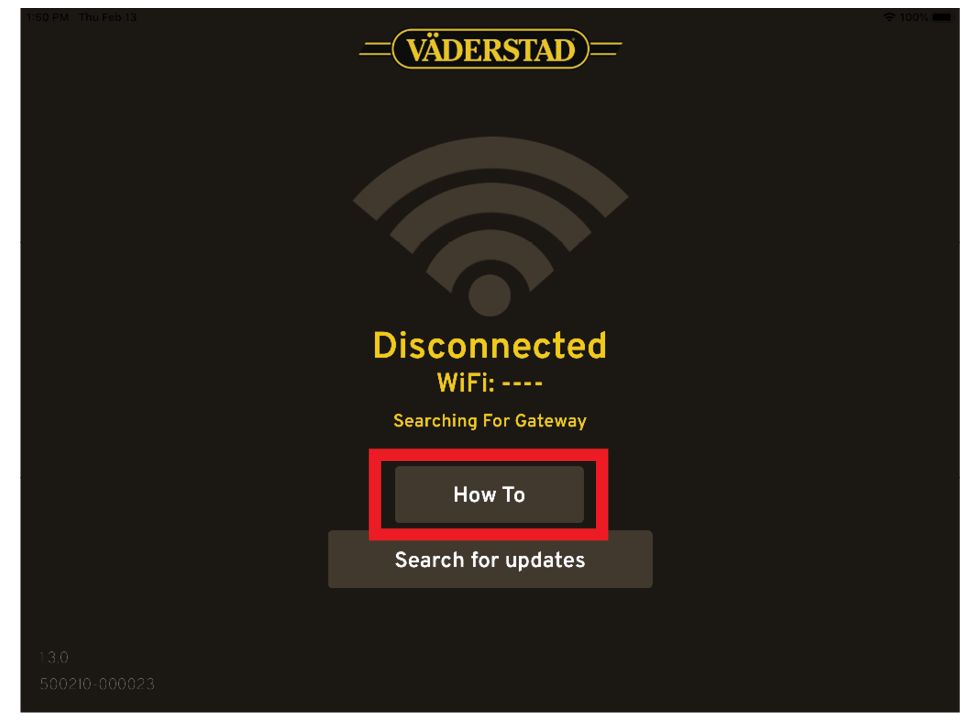
Figure 1.
To download documents. Press + the character in the top right corner
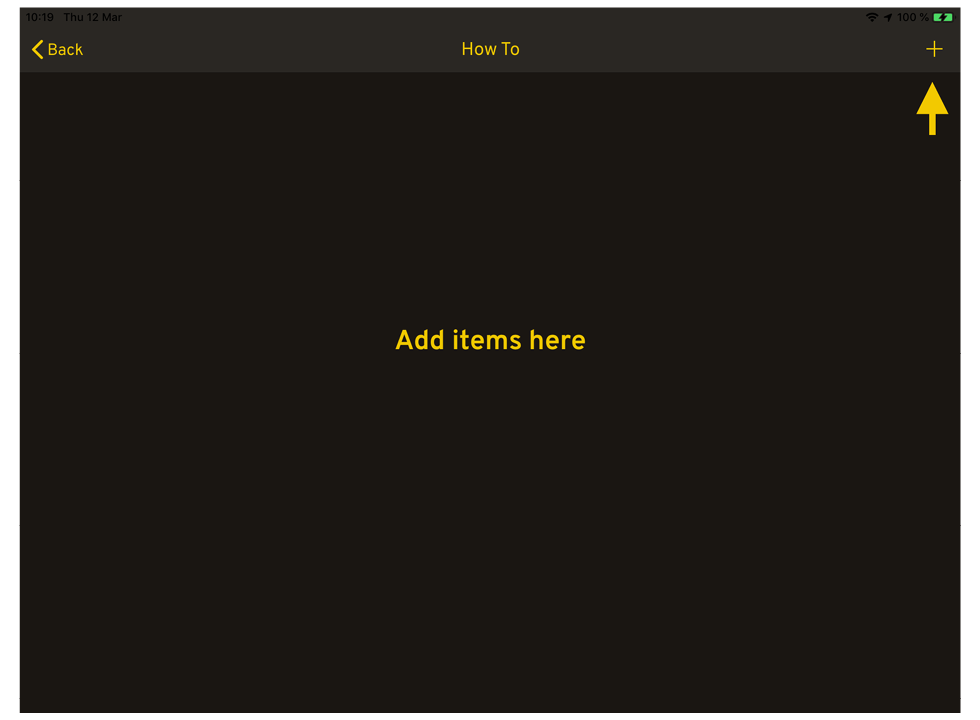
Figure 2.
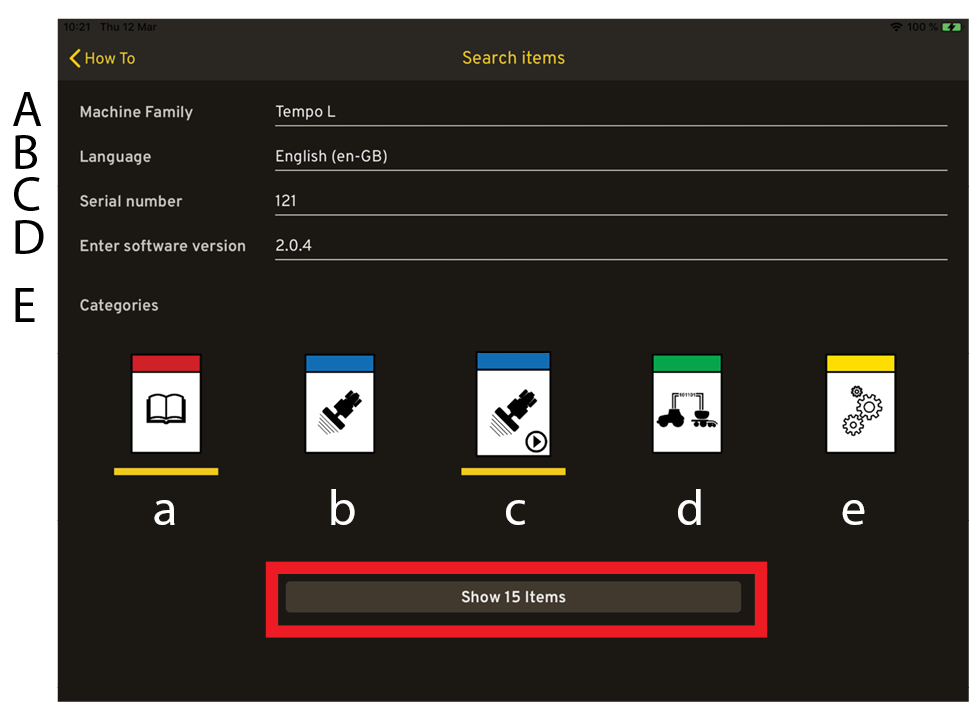
Figure 3.
On the Search page, you can filter on:
Machine family
Language
Serial number
Software version
Category
Instruction manual
Quick Start
Quick Start video
Quick Start Isobus
Spare parts book
Machine family and language are mandatory fields. Press the Show button.
The search results page appears.
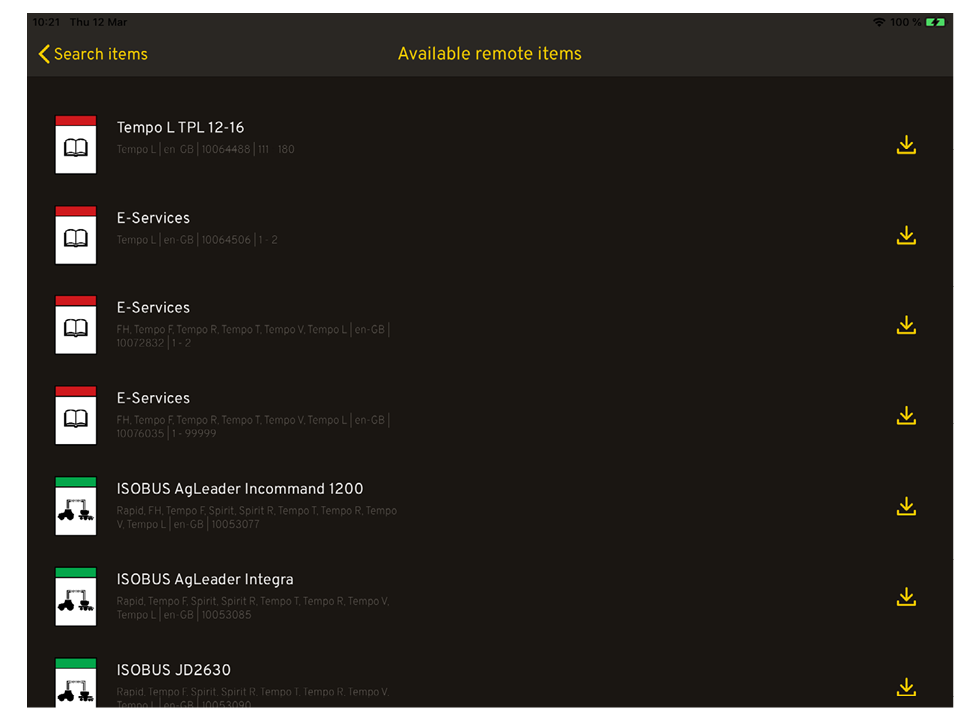
Figure 4.
To download the document, click on the
 icon on the right-hand end of each row.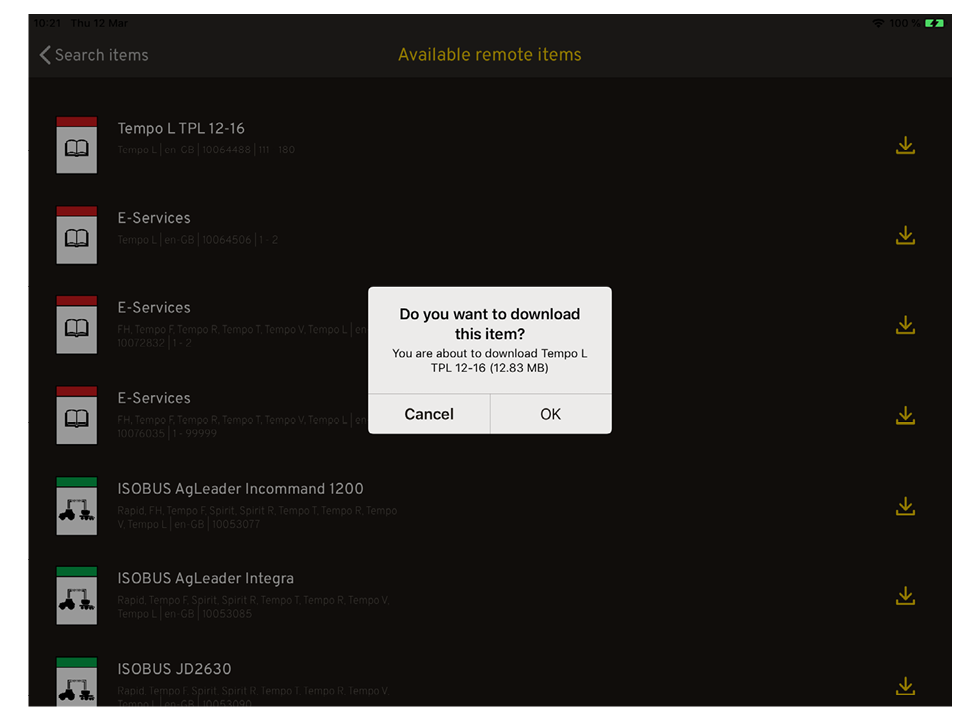
Figure 5.
Then press OK.
Download started. Stop downloading by clicking on the stop icon
 on the right.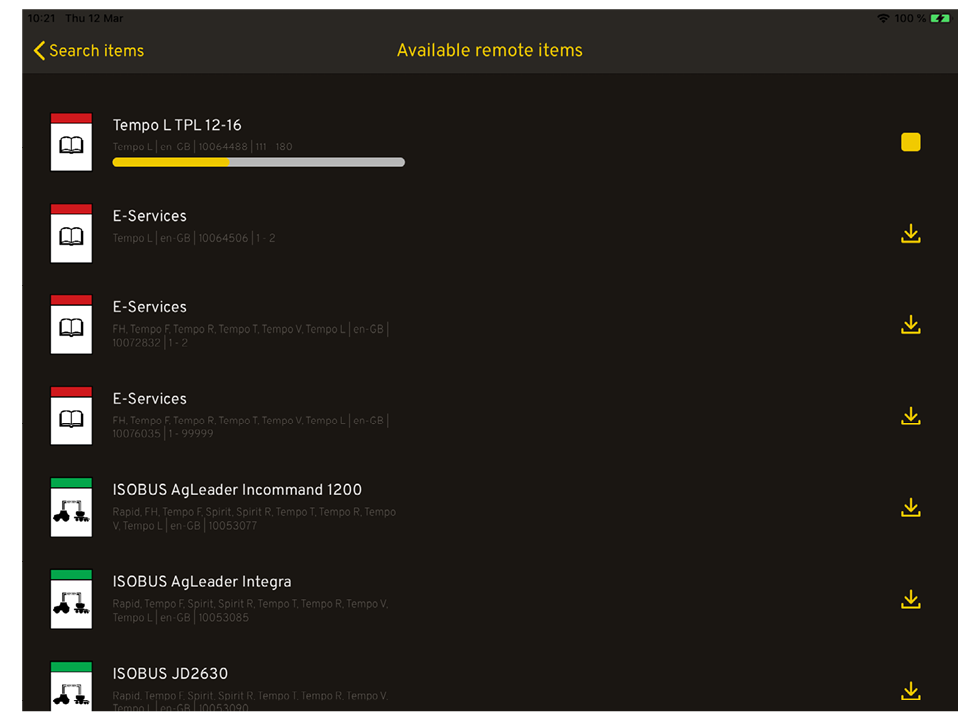
Figure 6.