6.3 Licences (SeedEye, seed counter)
Contact your dealer for your licence key.
Select licensing (A) from the left-hand menu.
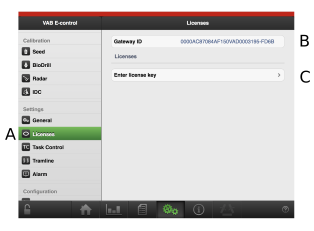
Figure 1.
The Gateway ID, which is a unique ID that is associated with the current gateway, is displayed in field (B). Cite this ID when contacting your dealer in order to access the product licence key.
Click on field (C).
Enter the licence key in the field (D).
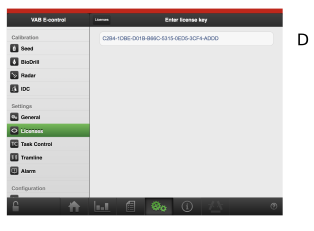
Figure 2.
A pop-up window is displayed to confirm that the licensing is correct.
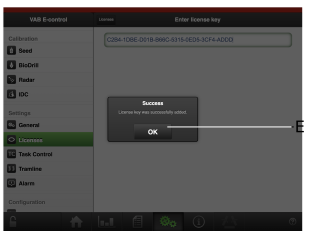
Figure 3.
Confirm with OK (E).
The product is now available (F).
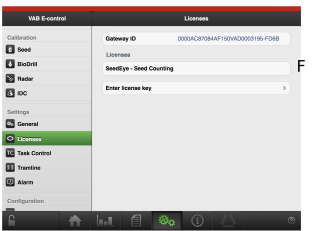
Figure 4.