11.2 WorkStation, inputs and outputs.
Pressing the WorkStation 1  and WorkStation 2
  buttons in the top menu row will take
you to pages containing detailed information on WorkStation inputs
and outputs.
buttons in the top menu row will take
you to pages containing detailed information on WorkStation inputs
and outputs.
The green icon indicates which information is being displayed.
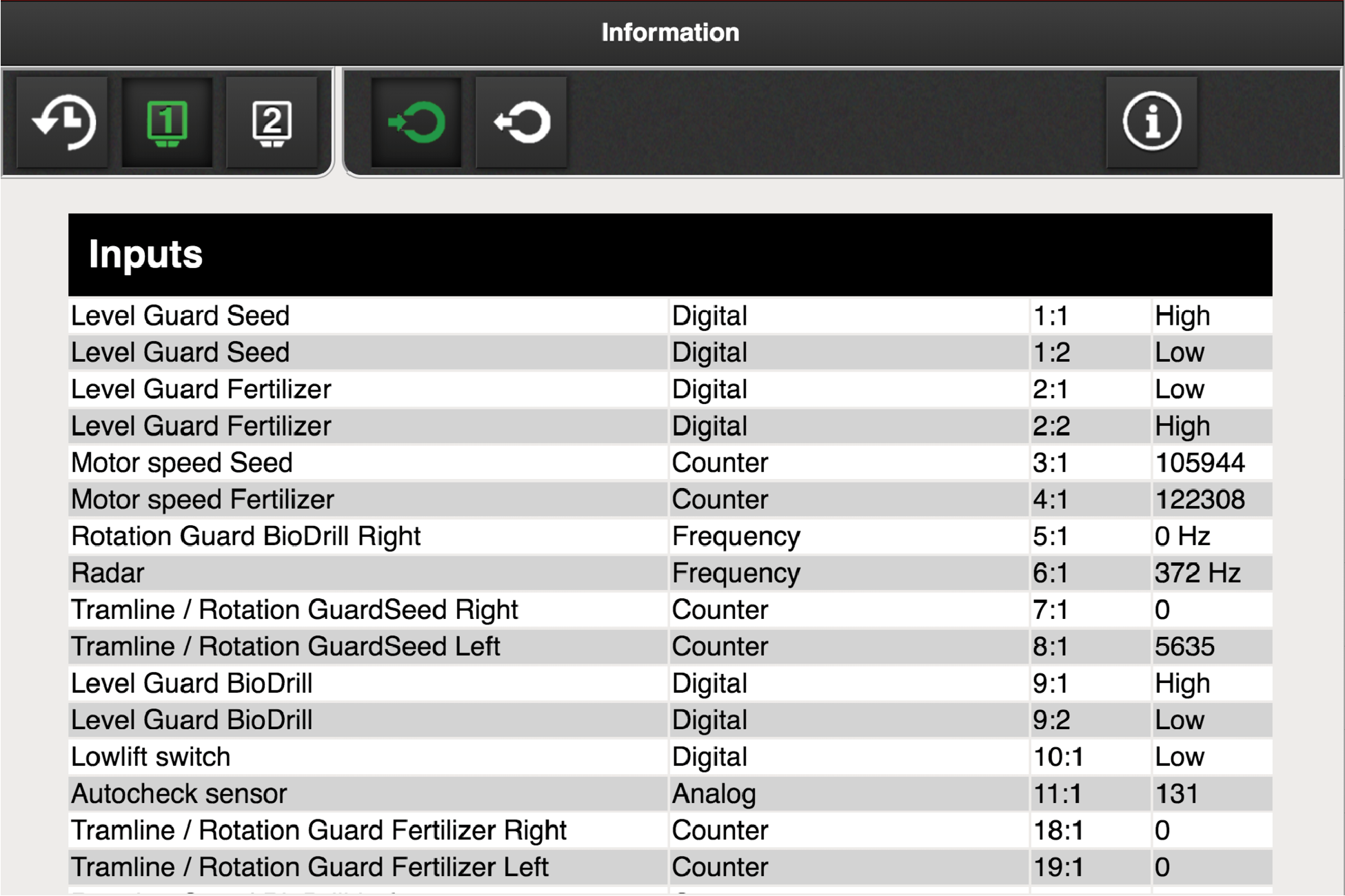
Figure 1. WorkStation 1, inputs
 Inputs. Shows a list of the current incoming signals to WorkStation.
 Outputs. Shows a list of the current outgoing signals from WorkStation.
 Other. Shows software information for
WorkStation and current power supply.
Other. Shows software information for
WorkStation and current power supply.
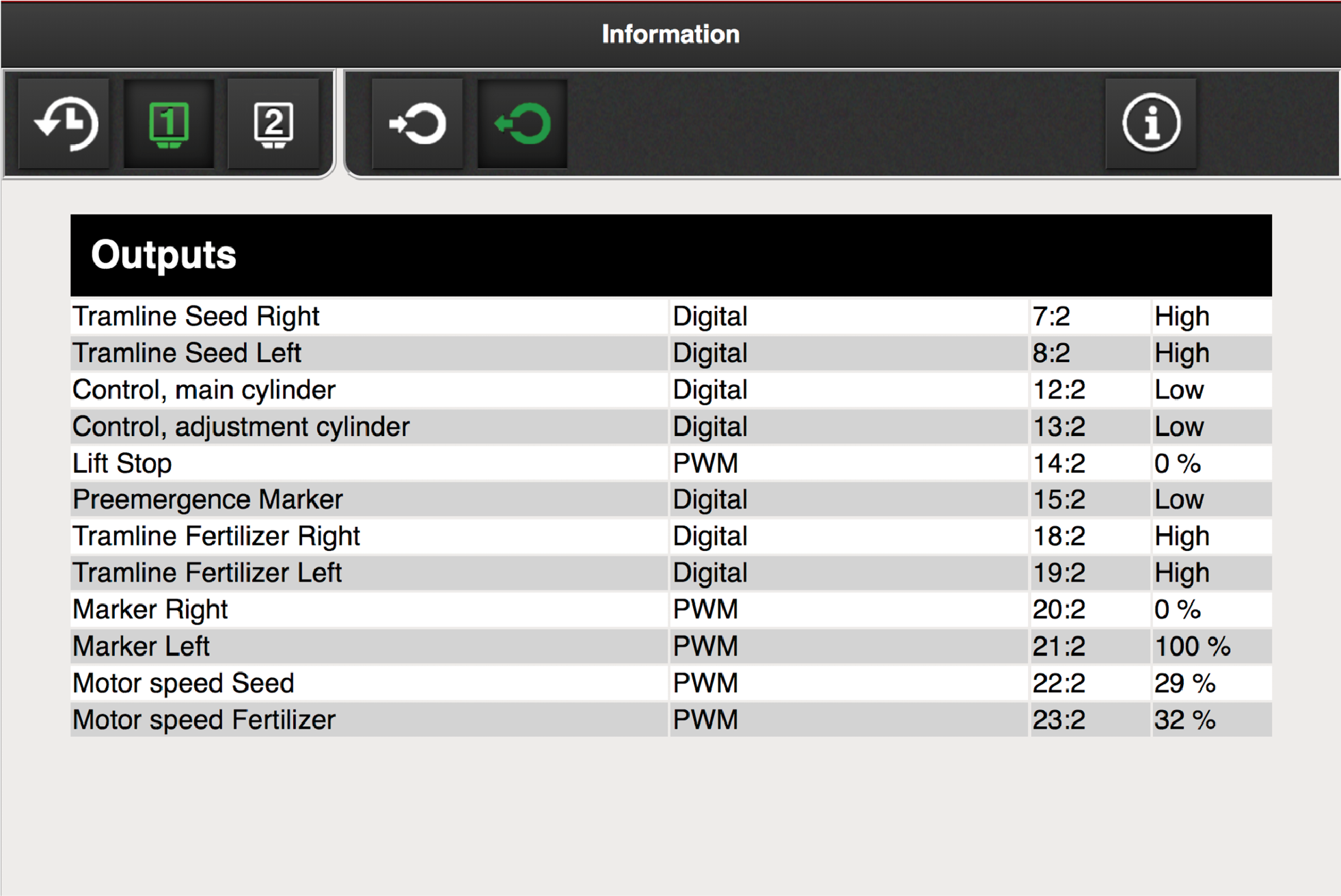
Figure 2. WorkStation 1, outputs
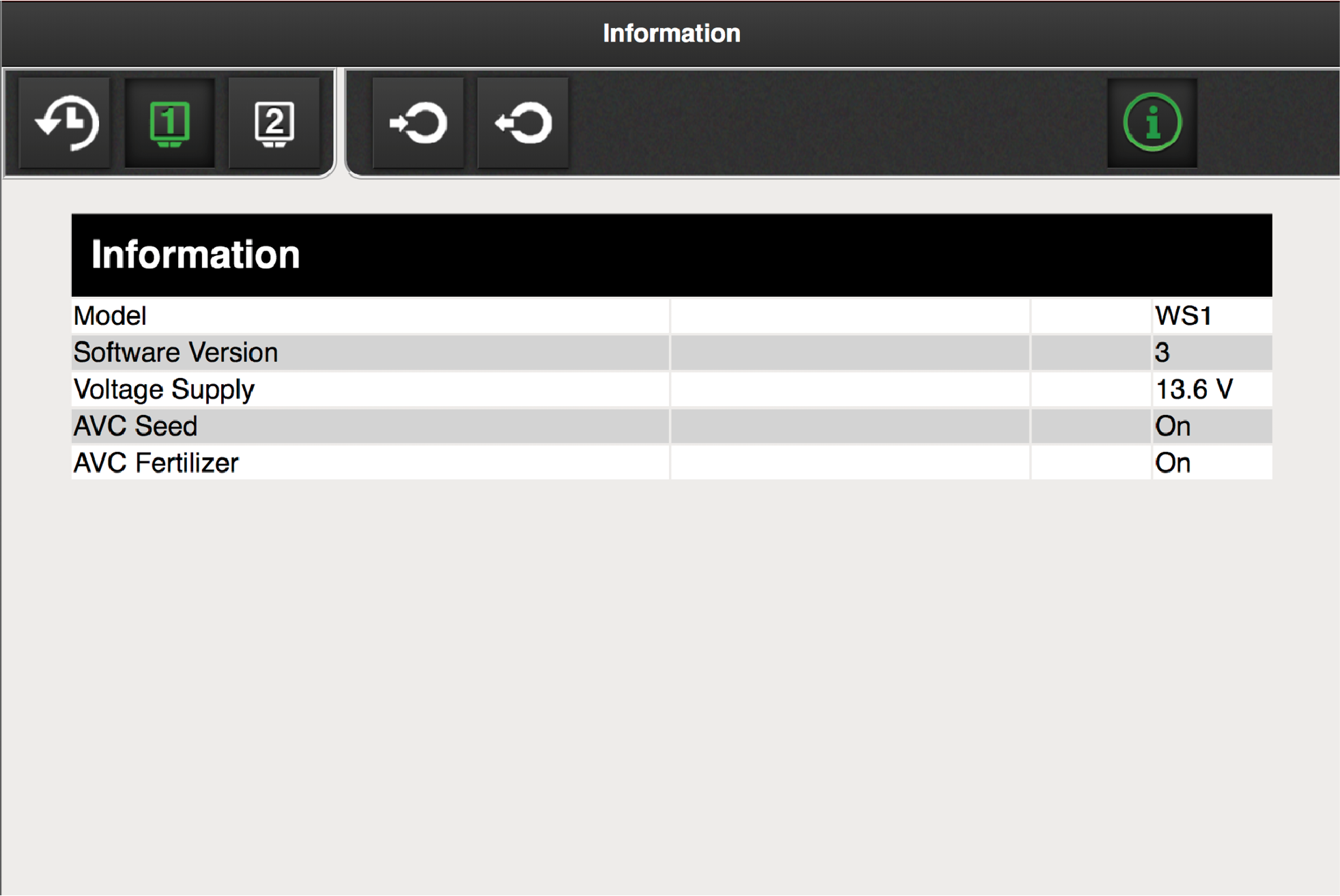
Figure 3. WorkStation 1, information
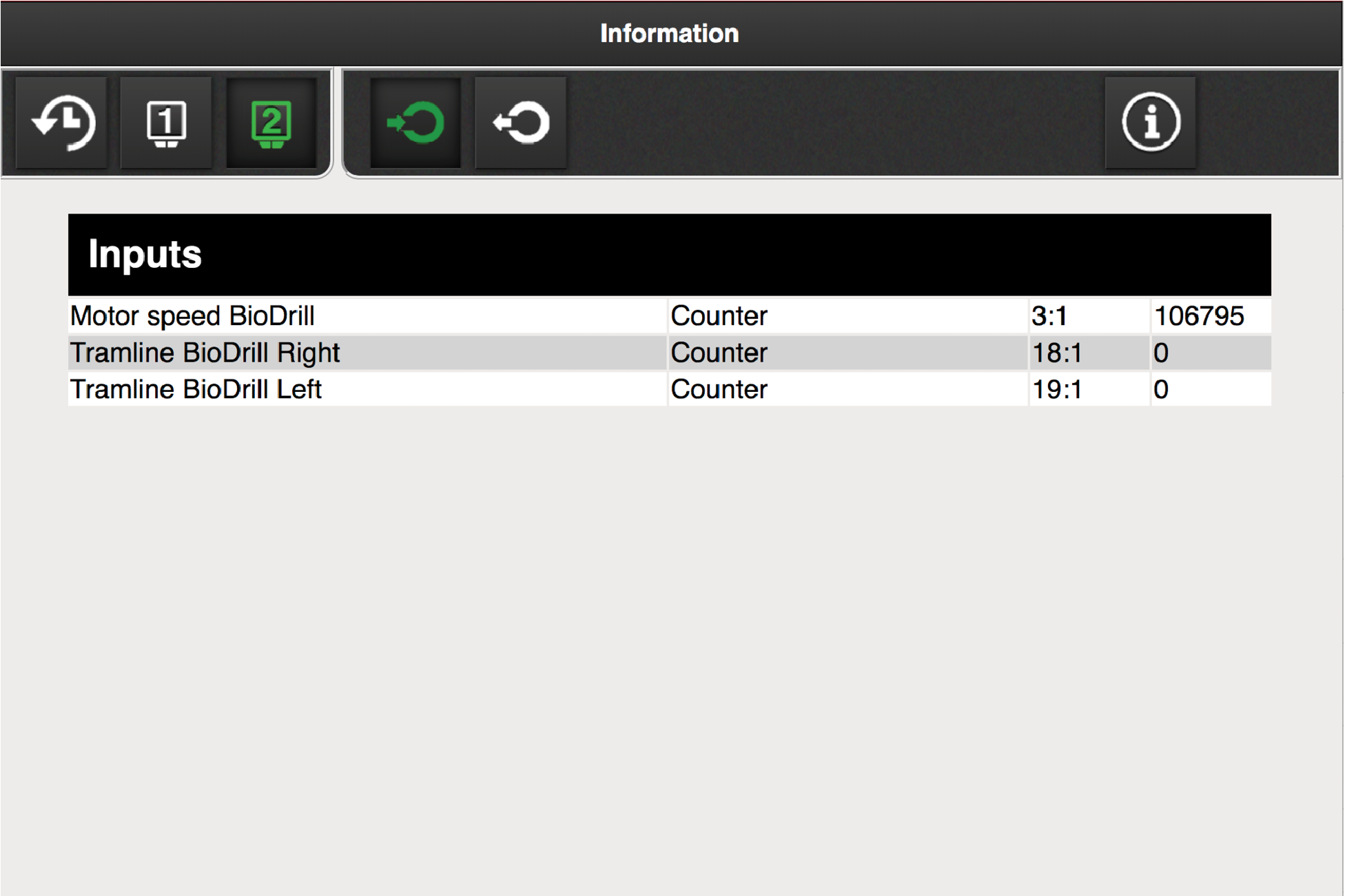
Figure 4. Workstation 2, inputs
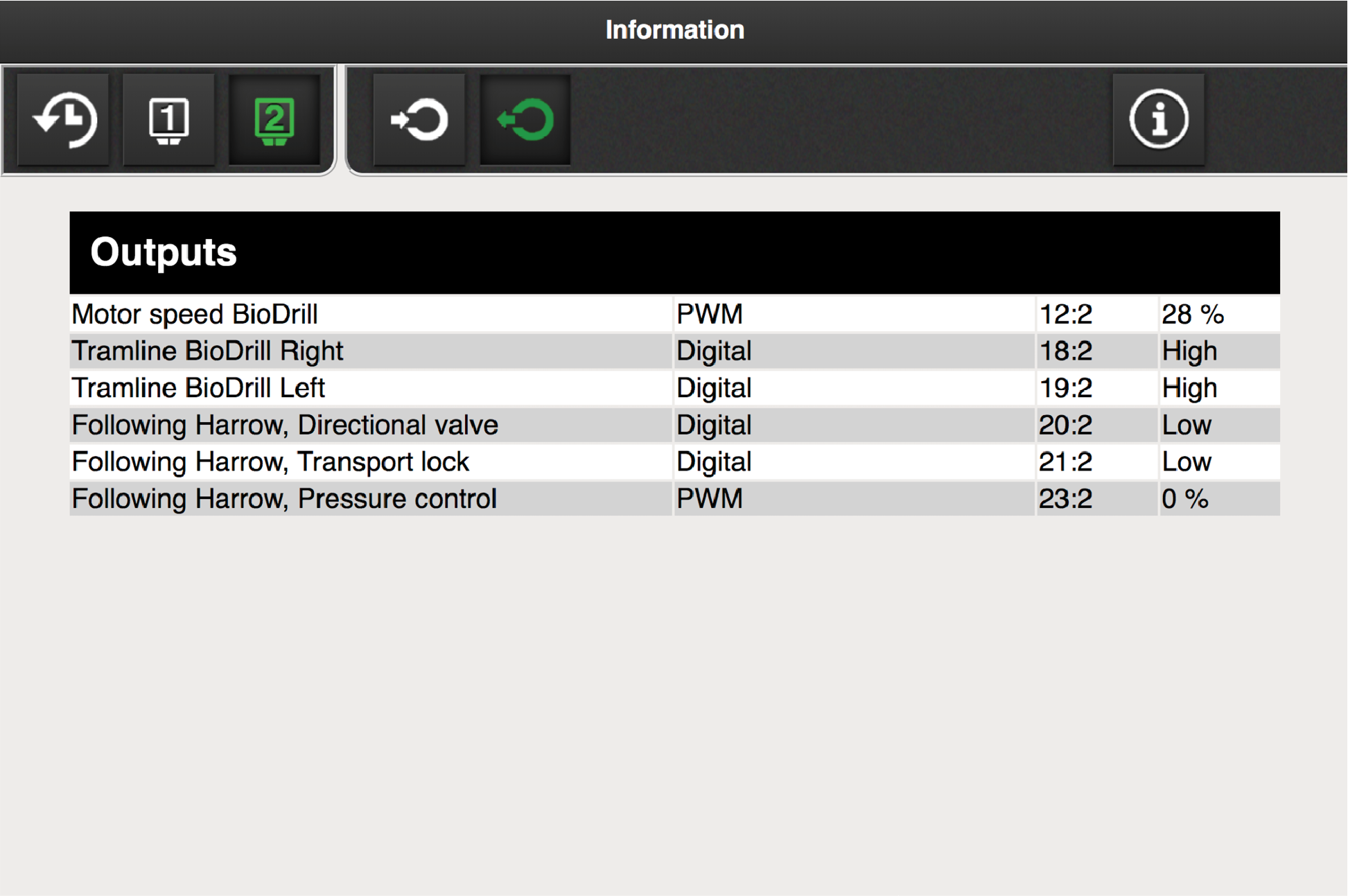
Figure 5. Workstation 2, outputs
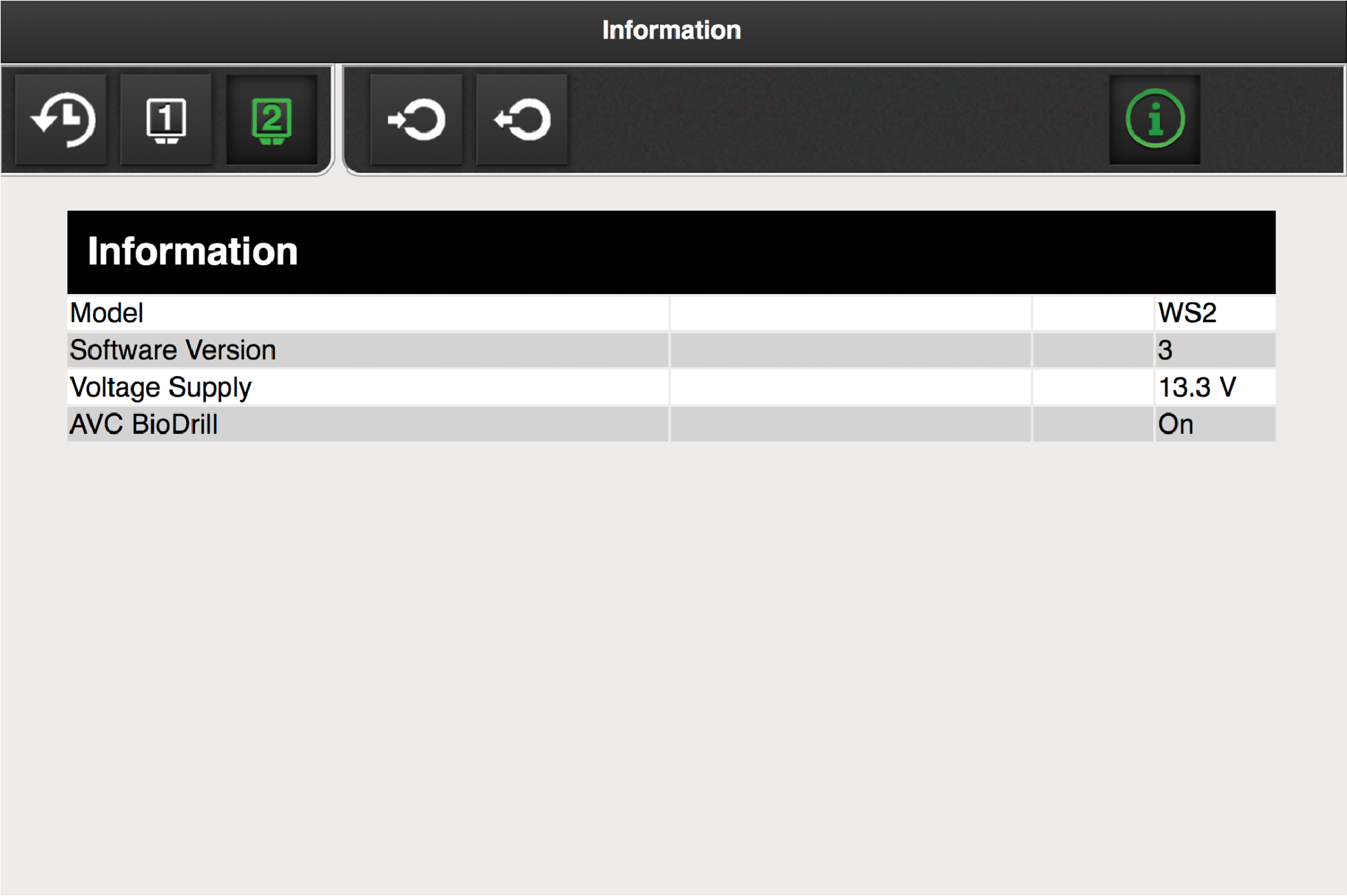
Figure 6. WorkStation 2, information
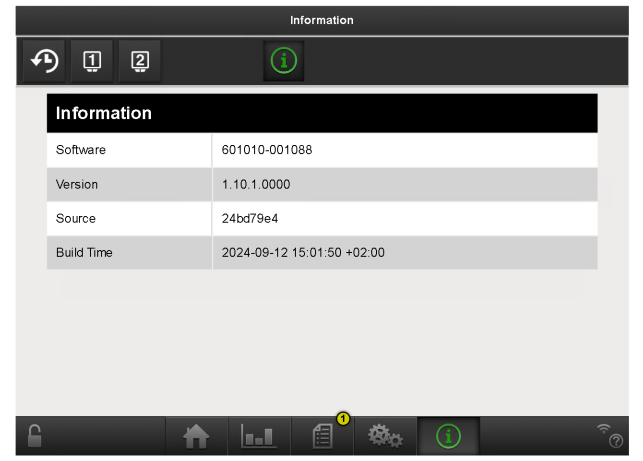
Figure 7. Version