6.6 Hydraulic following harrow
The following harrow is reached by selecting
hydraulic following harrow in the configuration, see 8 Configuration and activating the following harrow
in the general settings, see 6.2 General settings. The  button is now shown on the home screen. Press this button to open
the menu for setting the following harrow.
button is now shown on the home screen. Press this button to open
the menu for setting the following harrow.
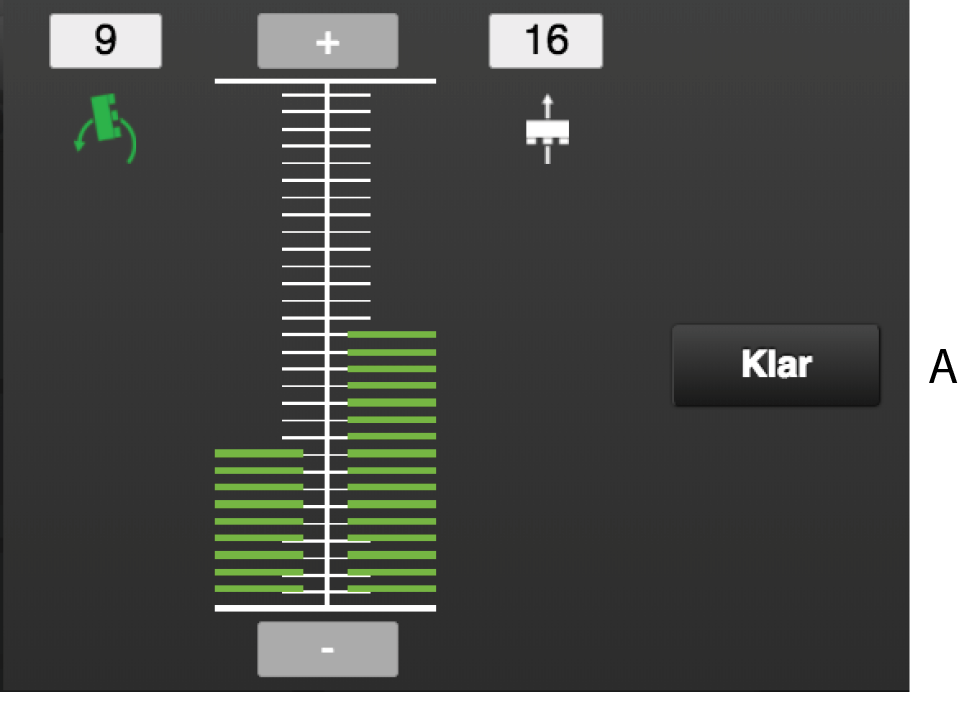
Figure 1.
Fields on the screen:
 The field to the centre-left of the scale shows settings for the
following harrow in the Low-Lift position.
The field to the centre-left of the scale shows settings for the
following harrow in the Low-Lift position. The field to the centre-right of the scale shows settings for the
following harrow in drilling position.
The field to the centre-right of the scale shows settings for the
following harrow in drilling position.
The pressure of the following harrow is shown both as a bar along the scale and as a numeric value above the symbol. It is possible to adjust the setting for functions displaying a green symbol.
The drilling position and Low-Lift position functions are adjustable on a scale of 0 to 30, where 0 means raised harrow, 1 means lowest pressure and 30 means highest pressure.
Settings
Press the symbol for the function that is to be changed.
Press
 to increase the pressure or
  to reduce the pressure. The bar and the
numerical value will change.
to reduce the pressure. The bar and the
numerical value will change.Press the (A) button to save the setting and close the window.