4.1 Connecting with E-Control
Gateway must always be supplied with power when the machine is in operation.
Always check before starting work that the iPad is connected to the correct network. Once the local network from Gateway is enabled for the first time, the iPad will automatically find the network the next time you are within range. However, if you have already connected to another network, the network must be selected manually
iOS 16 or a newer version is required in order to use E-Control.
The E-Control application must be downloaded.
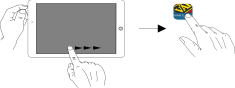
Figure 1.
Connect Gateway to the ISOBUS connector or other power supply on the tractor.
Start the iPad in the tractor cab or close to Gateway. Connection to the Gateway network takes place automatically.
Open the E-Control application by pressing the
 symbol.Note
It can take up to two minutes for the application to open.
The machine’s dashboard is displayed when the download is complete.