5.1 Display for control and monitoring
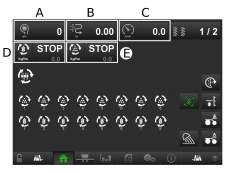
Figure 1.
To display the menu, press A, B or C, see 5.1.1 Dropdown menu.
D shows Hopper A application rate. To stop the output, press the symbol. Adjust the rate by pressing the field on the right.
E shows Hopper B application rate. Adjust the rate by pressing the field.