7.6 Front tools
Front tools can be fine-tuned from the tractor cab during operation.
Select  in the calibration menu.
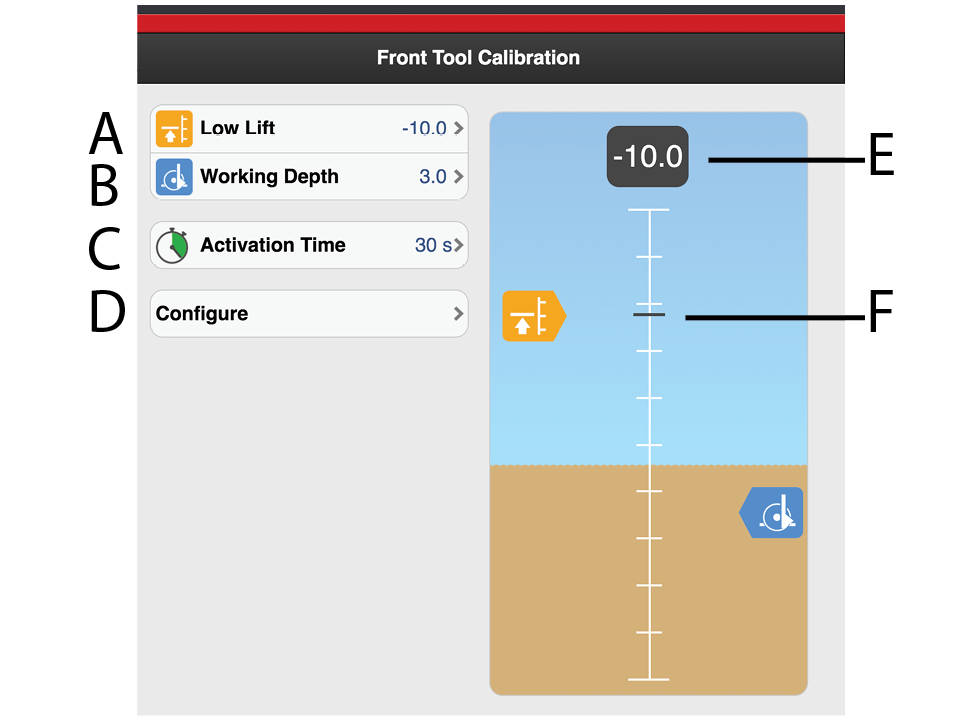
Figure 1. Calibration front tools
Level for Low-Lift. Set the scale value for the desired Low-Lift level. Height above ground level is shown as a negative number.
Working depth Set the scale value for the desired working depth. The working depth is shown as a positive value and must be greater than the Low-Lift level. The working depth value is not an exact depth in centimetres but serves as a reference.
Activation time. Register how long the front tool function should be activated for when the
front tool button is depressed.Configure.
Lift height. Displays the numerical value for the lifting ram.
Lift height. Shows actual scale value for the lifting ram.